

Web Application Penetration Testing: Steps & Test Cases
How secure are your web applications, really? Consider the risk of a malicious actor exploiting hidden vulnerabilities before you have the chance to address them. Web Application Penetration Testing is crucial for discovering these weaknesses. By simulating real-world attacks and using well-structured web application penetration testing test cases, it not only identifies potential threats but also provides insights into your application's resilience. In this blog, we’ll explore everything you need to know about web app pentesting.
What is Web Application Penetration Testing?
Web application penetration testing involves a methodical series of steps aimed at gathering information about the target system, finding vulnerabilities or faults, and researching exploits that could successfully compromise the web application. By leveraging structured web application penetration testing test cases, security professionals can ensure thorough coverage and systematic identification of weaknesses across the application landscape.
-
OWASP Top 10
The Open Web Application Security project (OWASP) is a community that focuses its efforts solely on discovering and reporting on web application security vulnerabilities.
Their reputable list of Top 10 security flaws is updated every year to reflect the global trends in the security of web applications. OWASP also publishes articles and security tools that are most practiced. OWASP’s testing methodology handbooks are recognized by the industry.
- SANS Top 251
The SANS Top 25 is a list created by the SANS Institute in collaboration with the MITRE Corporation. It identifies the most common and critical security vulnerabilities and programming errors that can lead to serious security issues in software.
The list is periodically updated to reflect new vulnerabilities and trends in the security landscape.
What Steps And Methodologies Are Used To Perform A Web App Pentest?
To distinguish between general applications and web applications, web application penetration testing primarily focuses on the environment and setup of the web app.
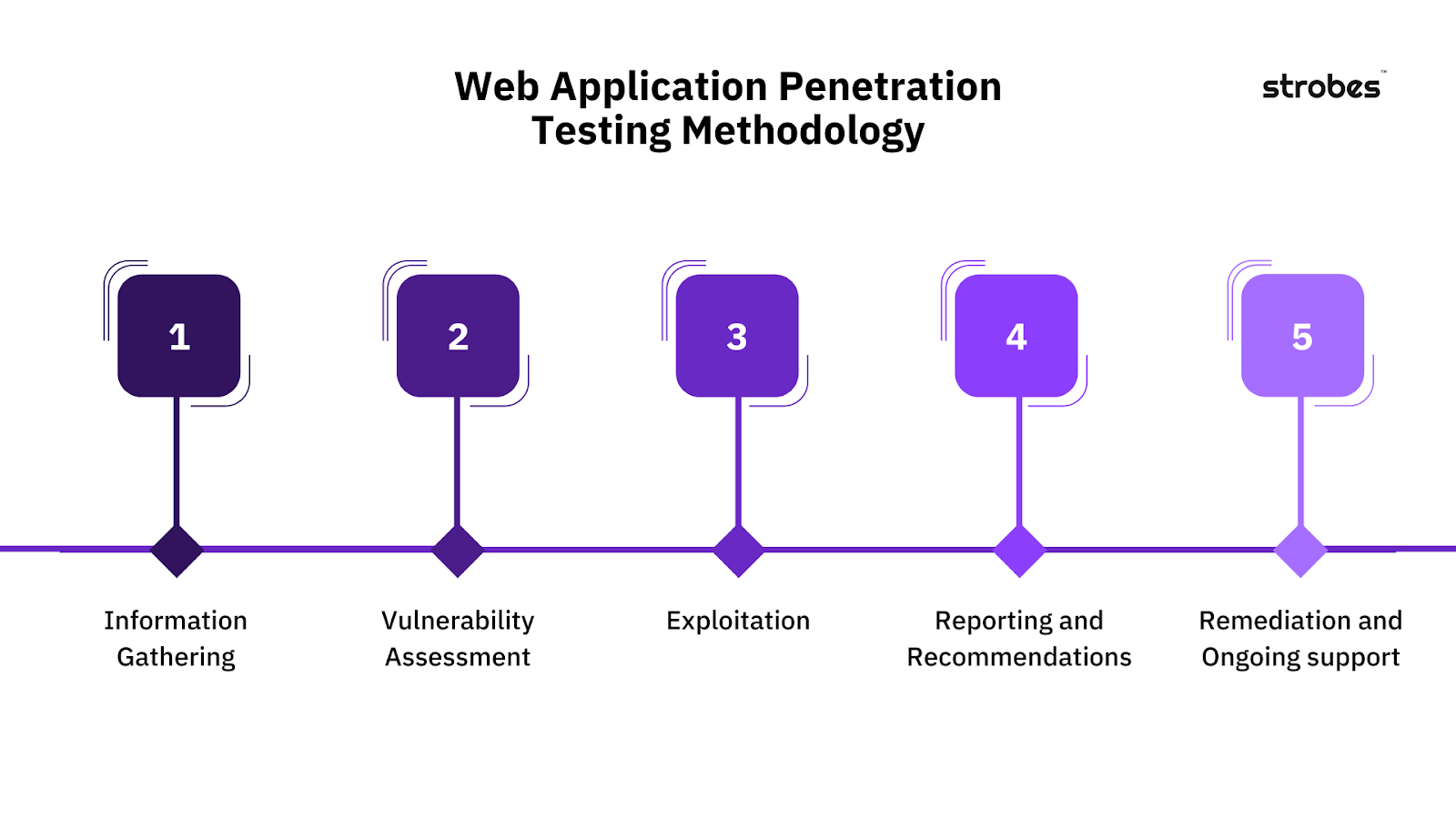
Step 1: Information Gathering
Information gathering, or the reconnaissance phase, is the most important step in any penetration testing process as it provides you with a wealth of information to identify vulnerabilities easily and exploit them later.
There are two types of reconnaissance depending on the type of interaction you want to achieve with the target system:
- Passive Reconnaissance
- Active Reconnaissance
1. Passive Reconnaissance
Gathering information that is already available on the internet and doing so without directly interacting with the target system is called passive reconnaissance.
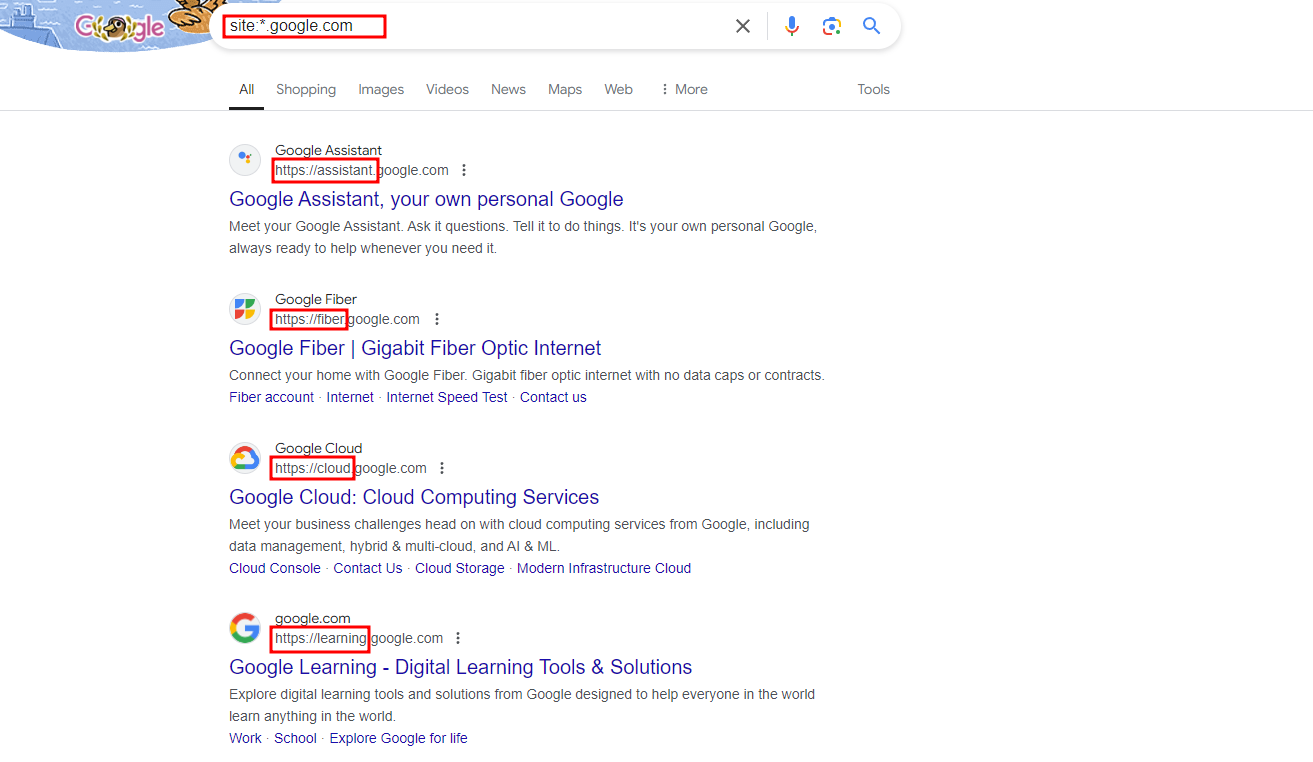
Most research in this phase is done online using various websites, beginning with Google. The first step often involves using Google syntax, enumerating website subdomains, links and much more.
For example, if subdomains of a certain website are of interest, you can use the following syntax to narrow down the Google search results: “site:*.domain.com”.
You can use Wayback Machine to view how a certain website looked a while back ago, this website can help you interact with the target of the web application without directly coming into contact with it.
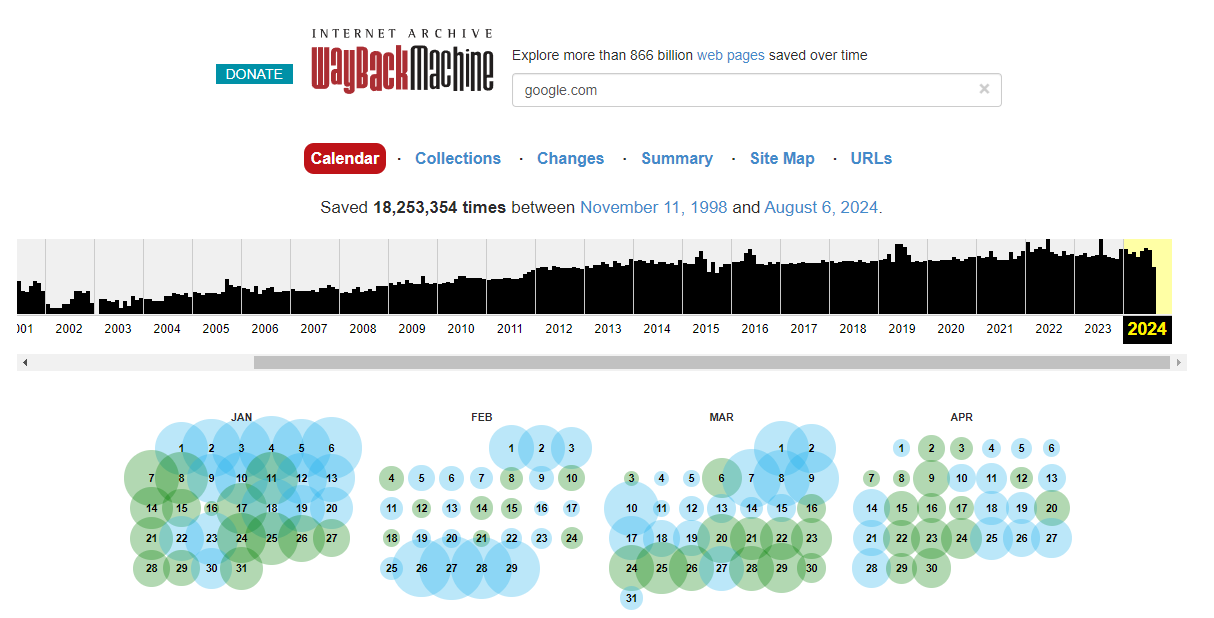
You can probe the old version of the website and note down any characteristics that might help you later in the research and exploitation phase.
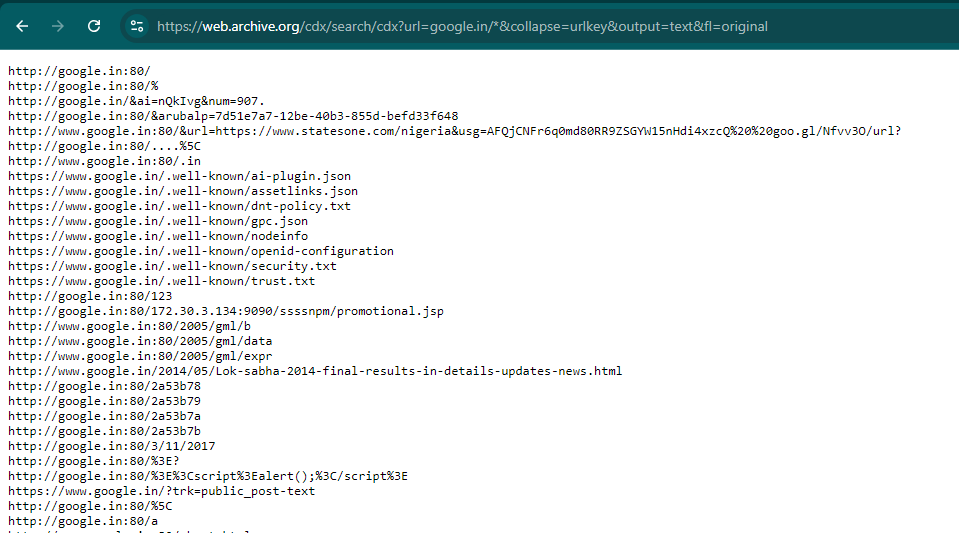
Phonebook.cz & Wayback Archive are utilized to find subdomains & URLs of the web applications that are exposed to the internet. In these URLs, the GET API request’s parameters are also cached leading to information leakage about the application or the users.
2. Active Reconnaissance
In contrast to passive reconnaissance, active reconnaissance directly probes the target system and retrieves an output.
Examples of active reconnaissance include fingerprinting the web application, using the Shodan network scanner, performing a DNS forward and reverse lookup, a DNS zone transfer, and more.
-
Fingerprinting The Web Application Using Nmap
Fingerprinting a web application involves gathering information about the web app such as the scripting language used, server software and version, along with the OS of the server. Much of this can be done using the Nmap network scanner.
Run the Nmap against the target IP or the target IP range and note down all open ports and services that are running, along with the above-mentioned information regarding the OS version.
- Shodan Network Scanner
Using the Shodan network scanner, you can identify additional information regarding the hosted web app if publicly available to the internet.
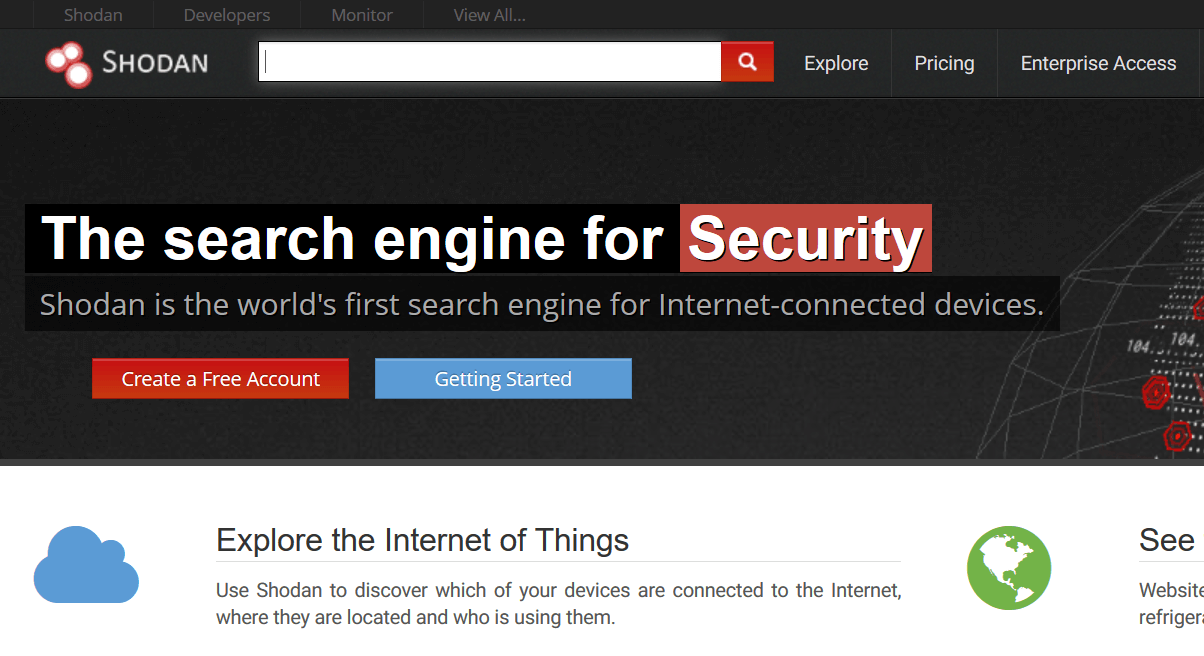
Shodan provides vast information regarding any publicly available IP that it scans. Information ranges from geolocation, port numbers opened, server software used and a few other useful details.
- DNS Forward And Reverse Lookup
In order to associate the newly discovered subdomains with their respective IP addresses, you can use forward dns lookup, ping, and even use more advanced tools such as Burp Suite.
- DNS Zone Transfer
To perform DNS zone transfer, use “nslookup” command to identify the DNS servers. Other options are websites specifically made for DNS server identification. After identifying all the DNS servers, use the “dig” command and attempt the DNS zone transfer.
- Identifying Related External Sites
This is an important step in the information gathering stage, as there is usually traffic flowing between external sites and the target site. This is done easiest with Burp Suite, which we will cover in more detail later.
- Inspect HEAD and OPTIONS HTTP requests
Responses from HEAD and OPTION requests will most definitely reveal the web server software and version. Sometimes the responses contain even more valuable data.
You can easily intercept this information by visiting the target website while having Burp Suite’s “intercept on” feature turned on.
- Gather information about the web app through error pages
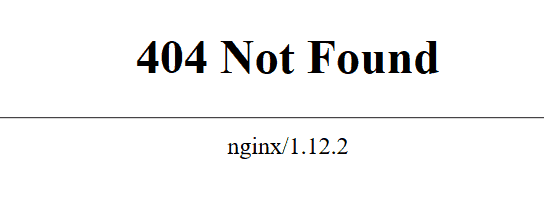
Error pages can provide a lot of useful feedback regarding the version and type of server the website is ran on. Based on this information you can start visualizing the environment of the web application.
Simply modify the URL of the desired website and try to cause the 404 not found error. In the case below, a website forum not found page reveals the server and its version (ngnix/1.12.2).
- Examining the Source Code
Source code can also provide a lot of useful information that you can later use to find a vulnerability.
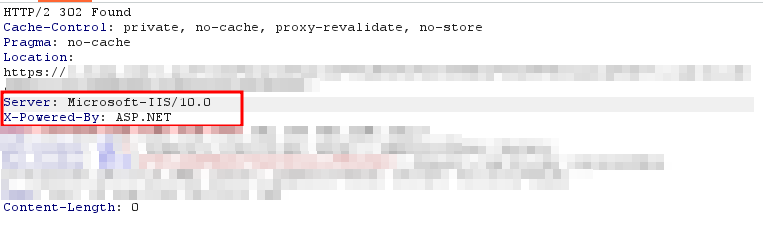
By examining the webpage code carefully, you will be able to determine the application environment and the overall workings of the application.
In the screenshot below, we can see that the website is running on IISserver, version 10.0.
- Documenting during the Reconnaissance Phase
It is vital to document everything in an organized manner during reconnaissance phase. This will prepare a baseline from which further exploitation will be done.
Step 2: Vulnerability Assessment
The first step in pentesting involves determining which tools to use for web application penetration testing.
The entire penetration testing process depends deeply on the reconnaissance phase and the discovered vulnerabilities. Finding the right exploit and gaining access into the system is far easier with a thorough investigation.
Popular tools commonly used during website penetration testing include:
- W3af
- Burp Suite
- SQLMap
- Metasploit
- Wfuzz
- WpScan
- Nuclei
- FFUF
- Nikto
For automated web app vulnerability scanning, sniffing and exploitation stages, tools like nikto, nuclei, burp suite etc are used.
The below list of tools and their capabilities will give you an introduction into what is possible with just a little bit of tampering with a vulnerable web application.
1. Burp Suite
Burp Suite is an open-source web application penetration testing tool that comes in two options. The open-source version is free to be used by anyone but with various features missing from the tool.
The various capabilities within Burp Suite make it an all-around web application security testing tool that can be used throughout the entire penetration testing process. Gathering http traffic with Burp Suite is easy and the possibilities are vast in the area of exploitation.
For the purpose of demonstrating the most useful aspects of Burp Suite, below is a simple example of capturing http traffic with Burp Suite and then performing an SQL injection attack using Sqlmap.
To start, open Burp Suite by navigating to the left side of your Kali Linux desktop and find Burp Suite in the category of “Web Application Analysis” tab. After loading, make sure your “intercept” tab has “intercept is on” selected.
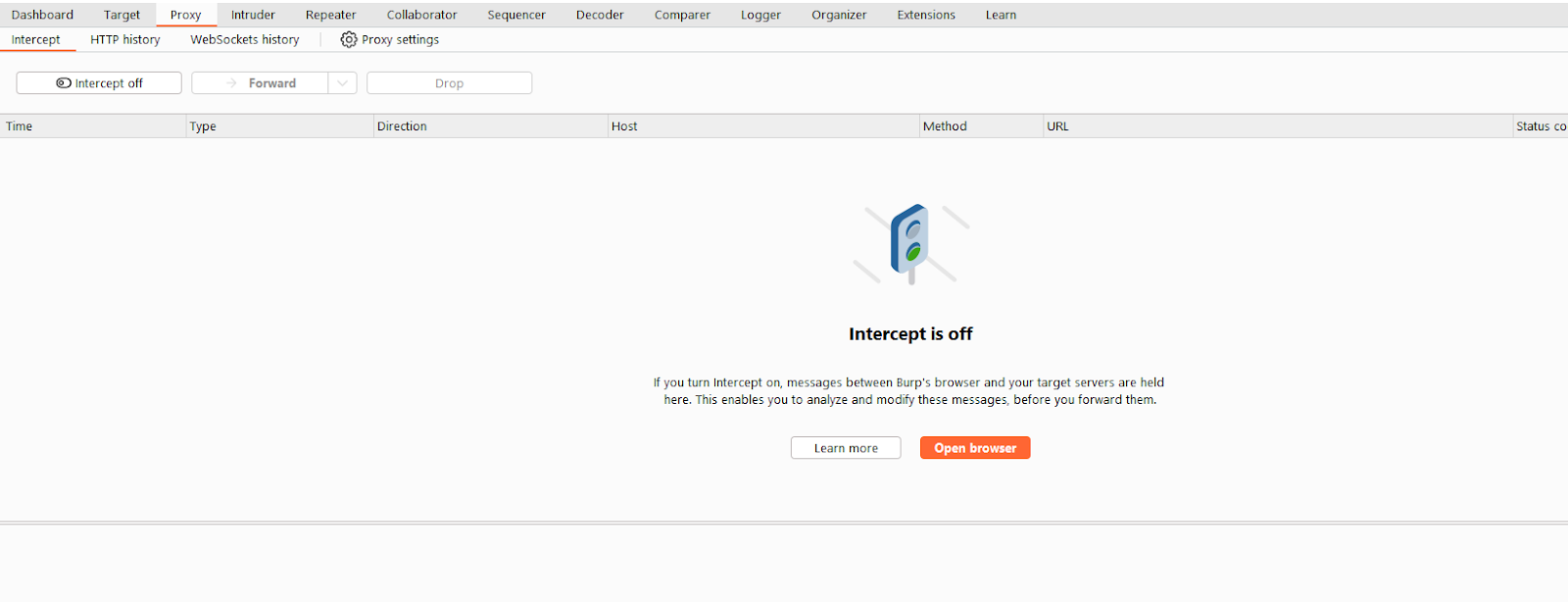
Next, set up Burp Suite to act as your web proxy in your Firefox browser. Open the “preferences” button, go to “advanced settings” > “connection settings” & choose “manual proxy configuration” and fill in the IP address and port numbers: 127.0.0.1 and 8080.
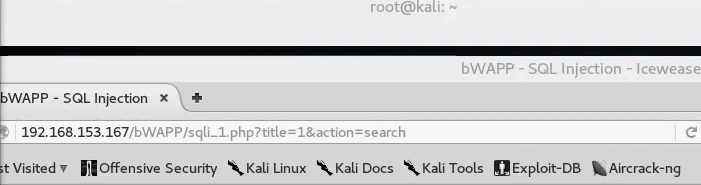
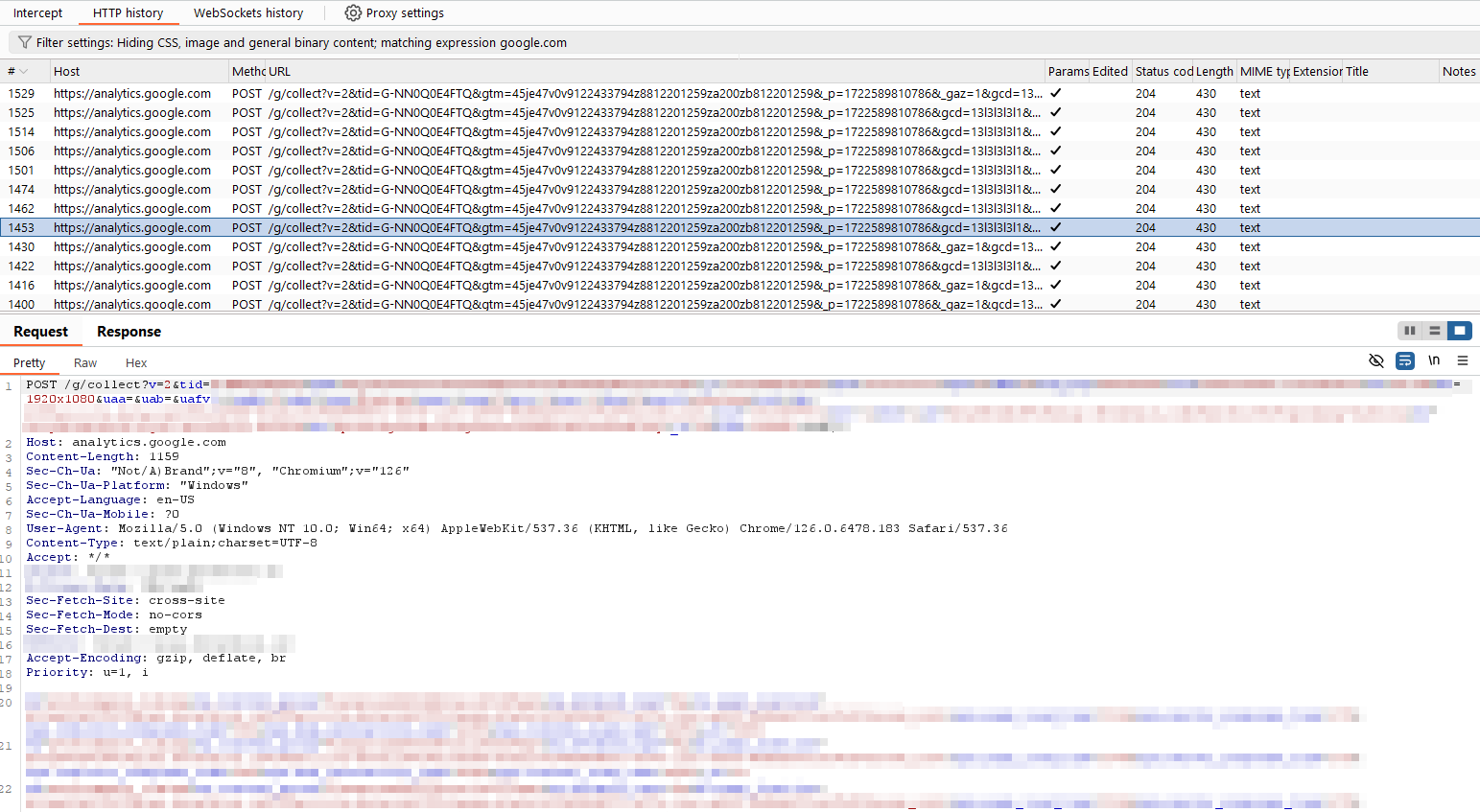
Now that everything is set up, navigate to your target website through your Firefox browser. All the traffic captured using the burp suite’s proxy can be seen in the ‘Http History’ tab of the burp suite.
2. Cross-Site Scripting (XSS)
There are many online scanning tools that can automatically provide a comprehensive security scan of a desired website. This can be used as a quick method to confirm present vulnerabilities.
The same results can be achieved using the W3af framework. To test for this attack, penetration testers usually intercept http communication between client and the server and use this traffic to exploit the target system.
Identify Known 3rd Party Software Vendors
Sometimes applications use 3rd party tools for certain functionalities. This exposes the whole application to the same risk the 3rd party tool has.
We look for publicly available vulnerabilities and exploits in software vendors the application uses and test them out.
There are thousands of possible attacks in the wild that exploit applications, servers and databases altogether.
Other common attacks that need mentioning are: session fixation attacks, session hijacking attacks, and binary attacks.
Step 3: Exploitation
Here, we transform identified vulnerabilities into real-world attack scenarios to assess their potential impact. By simulating malicious activities, we determine the extent of damage a successful attack could inflict on your system.
This phase involves a meticulous examination of various attack vectors, including but not limited to various test cases.
What Attack Cases are Tested During Web Application Penetration Testing?
Authentication Testing
- Bypass of authentication.
- SQL Injection
- XPATH Injection
- LDAP Injection
- Testing for OAuth Configuration.
- Reviewing state parameters or other CSRF protection mechanisms.
- Reviewing callback or redirect_url parameter for arbitrary domains, subdomains or directories.
- Reviewing referrer leaks.
- Testing for Rate Limiting by Brute-forcing.
- Testing the robustness of 2FA/OTP functionality.
- Rate limiting
- Length
- Predictability
- Bypass of CAPTCHA.
- Session Fixation.
- Test account suspension/resumption process.
- User Enumeration.
- Username / Password Policy.
Testing for Password Reset Functionality
- Leakage of password reset link
- Insecure direct object reference
- Insecure session management
- Weakness in life cycle of password reset link
- Lifetime of reset link
- Re-use of same link
- Predictability of token in the reset link
- Weak encryption of token
- Usage of attacker’s token on victim’s account
API Communication
- Authorization Header Analysis
- Basic
- Bearer
- None
- Custom
- API keys expiration
- Unauthenticated/Anonymous Access
- Use of same authorization token for every user
- Analysing the predictability of token
Testing for Cookie Attacks
- Leakage of cookie with sensitive data (validating user session based on userid/username cookie value)
- Weakness in cookie lifecycle
- XSS via cookie.
- Remote cookie tampering
- Missing HttpOnly Flag
- Missing Secure Flag
- CRLF Injection (Carriage Return Line Feed)
Sensitive Data Exposure
- Insecure error handling
- Disclosure of sensitive files (example: phpmyadmin or web.config etc)
- Information disclosure via metadata
- Insecure communication channel (force browsing)
- Hidden/sensitive directories & files in robots.txt
- Return of sensitive information in later responses (example: password, otp, other user’s private/sensitive information)
Testing for Cache
- Google Caching
- Cacheable HTTPS responses
- Sensitive data in URLs
- Web Cache Deception
Headers & Policies Scrutiny
- CRLF Injection (Carriage Return Line Feed)
- Host Header Injection
- Weak username or unenforced policy
- Weak password policy
- Cross Origin Resource Sharing
- Clickjacking
- URL Redirection (if response header contains “location:” header)
Session Management
- Testing insecure logout implementation
- Cross-Site Request Forgery
- Null Token
- Tampered Token
- Lack of Token
- Reuse of attacker’s token
- Double CSRF token
- CSRF token predictability
- Application/JSON bypass using cross-domain.xml
- Analysing authorization/privileges implementation through cookies
Authorization Testing
- Testing for horizontal and vertical privilege escalation
- Testing for Insecure Direct Object Reference
- Directory Traversal
Data Validation
- Malicious file upload
- File extension
- Content-type
- File signature manipulation
- File size
- Cross-site Scripting
- Reflected
- Stored
- DOM
- Blind XSS (in case of backend management system/CMS or an admin panel)
- CSV Injection.
- HTTP Verb Tampering
Injections
- Remote Code Execution
- SQL Injection
- Boolean-based blind
- Error-based
- Union query-based
- Stacked queries
- Time-based blind
- Inline queries
- NoSQL Injection
- XML Injection
- XXE
- CSV Injection
- Template Injection
- ELI (Expression Language Injection)
- ORM Injection
- LDAP Injection
Testing for Server-Side Issues
- Testing for SSRF
- Server-Side Template Injection
Business Logic Issues
- Payment Tampering
- Custom Business Logic bypasses
- Submit forms without filling in mandatory fields
Cloud Misconfigurations
- AWS S3 Bucket Permissions
- Successful generation of signature for other bucket assets
Testing for Security Misconfigurations
- Outdated Framework/CRM/WordPress
- Enabled Directory Listing
- Uploading files to any directory
- Default accounts with default passwords
Testing for DNS Misconfigurations
- Looking up for CNAMEs and expired services
- Looking up for SPF records & configurations
- Looking up if A record is 127.0.0.1 (same site scripting)
Miscellaneous
- Reflected File Download.
- Accessing Default Files (example: phpmyadmin)
- Verifying window.postmessage value (if it’s set to wildcard *)
Step 4: Reporting And Recommendations
Once the assessment phase is finished, a high-quality report on the findings is drafted to discuss the best mitigations for fixing the vulnerabilities. Our standards ensure the best of security testing practices and provide a brief snapshot on the organization’s security risk levels.
We make sure that the report is written for the business-oriented people so that both client IT staff and higher management understands the report clearly and to what degree they are exposed to the risk.
To understand in detail what is included in a good pentest report, you can check out this blog - Read here
Step 5: Remediation And Ongoing Support
Many companies find themselves not able to remediate all the vulnerabilities a penetration test revealed. It is best practice to mitigate critical and high vulnerabilities first and focus on the medium and low afterwards.
Prioritization plays a big role as the likelihood of each vulnerability being exploited varies.
Some vulnerabilities detected are possible but not without previous access to the internal system, and some vulnerabilities carry the risk of remote code execution and should be adequately prioritized to reflect the likelihood and impact.
Strobes offers a re-test as part of contract and will provide you with a secondary penetration test to verify the mitigated vulnerabilities found in the previous test.
This is where our security analysts work closely with your Security and IT teams to resolve all vulnerabilities that were found after the first testing was done.
Strobes Web Application Pentesting
At Strobes, we go beyond traditional pentesting to deliver a robust and adaptable approach:
- Expert-Driven Testing: Our team of seasoned security professionals possesses the knowledge and experience with certifications like CISA, CEH, OSCP, CREST, CISSP to identify even the most obscure vulnerabilities.
- Continuous Security: We offer a range of testing options, from one-time assessments to ongoing security monitoring, to fit your specific needs.
- Tailored Approach: We customize our testing methodologies to align with your application's unique architecture and industry regulations.
- Actionable Insights: Our detailed reports not only outline vulnerabilities but also provide clear remediation guidance for effective mitigation.
- Streamlined Communication: Strobes PTaaS platform has 2-way sync with Slack, Teams, wherein you can directly communicate with your team.
Strobes offers a variety of solutions to cater to your specific requirements:
| Black Box Testing | Gray Box Testing | White Box Testing |
Conclusion
In conclusion, Web Application Penetration Testing is more than just a routine check. It's a vital component of your security strategy that helps you stay ahead of potential threats. By identifying vulnerabilities before attackers can exploit them, you’re not just protecting your applications but also reinforcing your organization’s overall security posture. Embrace this proactive approach to ensure that your web applications remain resilient and trustworthy.
Ready to Get Started?
Contact Strobes today to schedule a free consultation and discuss how our app pentesting solutions can help you achieve a robust and secure web application environment.