
NGINX2Root flaws put nginx servers at risk of takeover

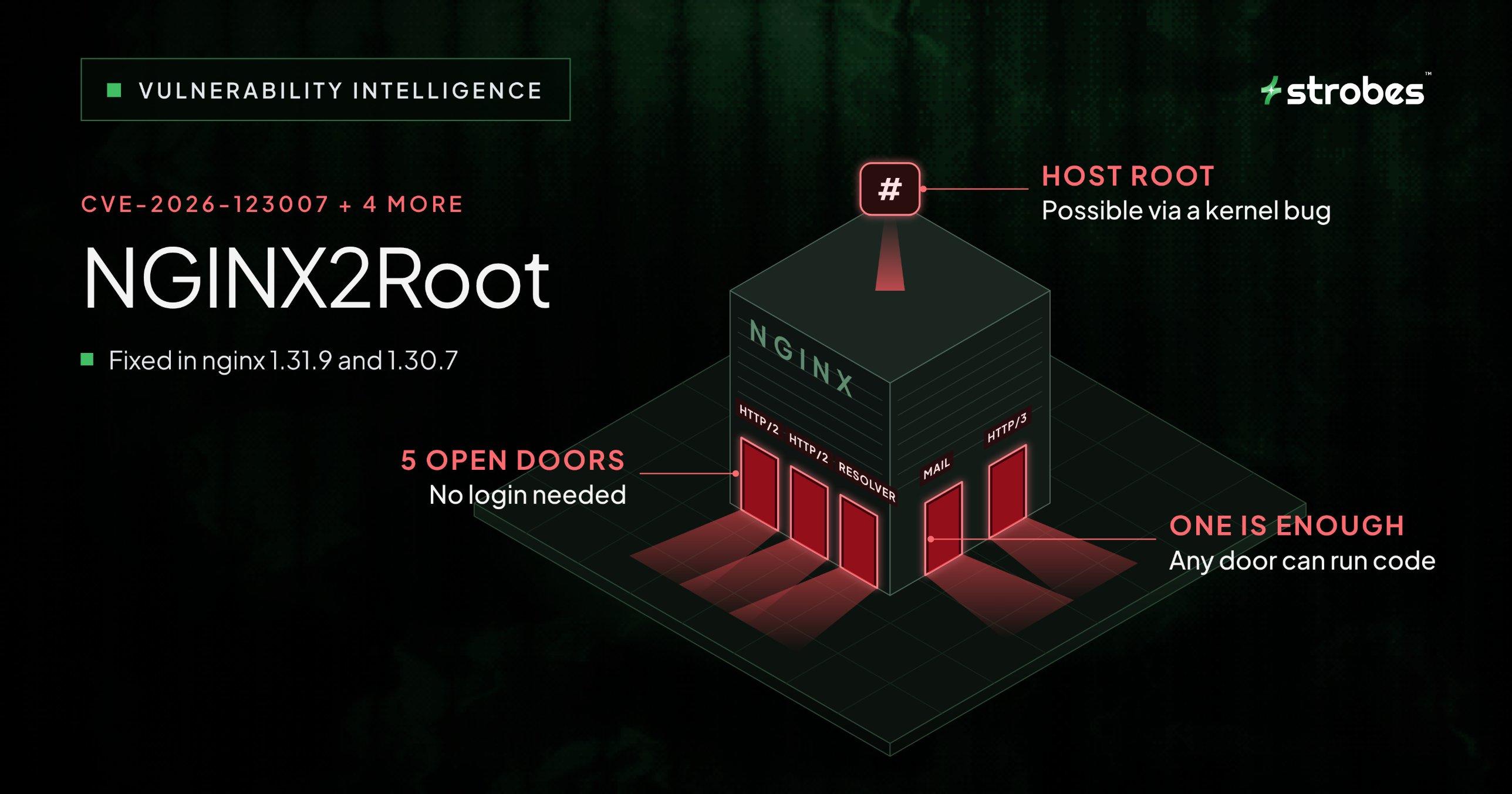
- ✓NGINX2Root is the name for five memory bugs in nginx: CVE-2026-123007, CVE-2026-123633, CVE-2026-123634, CVE-2026-121810 and CVE-2026-113425. An attacker doesn’t need to log in to reach any of them, as long as the right nginx feature is turned on.
- ✓The biggest one is CVE-2026-123007. It sits in the HTTP/2 flow control code, it’s been there since nginx 1.9.5 in 2015, and F5 scores it 9.2 under CVSS 4.0.
- ✓nginx fixed all five in 1.31.9 (mainline) and 1.30.7 (stable) on November 18, 2026. After you upgrade, restart nginx or redeploy the container, because a config reload keeps the old code running.
- ✓The researchers also used a separate Linux kernel bug in SCTP to break out of a Docker container and become root on the host. That kernel bug isn’t patched yet, and the nginx update doesn’t fix it.
- ✓As of November 19, nobody has reported real attacks using these bugs, and none of them is on CISA’s KEV list. There is, however, a public exploit for CVE-2026-123007.
If your nginx server has HTTP/2 turned on, someone on the internet may be able to run their own code on it without ever logging in. They don’t need a weak app behind it or a risky module, either. Researchers proved it on a plain website that only serves static files over HTTPS.
That attack comes from one of five bugs, together called NGINX2Root, that went public on November 18, 2026. nginx shipped fixes the same day, so this post covers which setups are at risk, what to change first, and how the attack works.
Which nginx CVEs are part of NGINX2Root?
There are five, and whether each one affects you depends on which nginx features you have turned on. That’s why your version number alone can’t tell you if a server is at risk.
| CVE | Where the bug is | Bug type | You’re exposed when | nginx severity | Vulnerable | Fixed |
|---|---|---|---|---|---|---|
| CVE-2026-123007 | HTTP/2 flow control | Integer underflow that leads to heap out-of-bounds access | HTTP/2 is on | Major | 1.9.5 to 1.31.8 | 1.31.9, 1.30.7 |
| CVE-2026-123633 | HTTP/2 connection reuse | Use-after-free | HTTP/2 is on and nginx proxies to an upstream | Medium | 1.19.7 to 1.31.8 | 1.31.9, 1.30.7 |
| CVE-2026-123634 | DNS resolver | Use-after-free | nginx looks up upstream names at runtime using variables, and a subrequest (such as mirror or SSI) looks up the same name | Medium | 0.6.18 to 1.31.8 | 1.31.9, 1.30.7 |
| CVE-2026-121810 | HTTP/3 (QUIC) streams | Use-after-free | HTTP/3 is on and nginx proxies to an upstream | Medium | 1.25.0 to 1.31.8 | 1.31.9, 1.30.7 |
| CVE-2026-113425 | Mail proxy auth_http | Use-after-free | A mail block uses auth_http | Major | 0.5.33 to 1.31.8 | 1.31.9, 1.30.7 |
The same update fixed five other CVEs as well. One of them, CVE-2026-118899, can trap nginx in an endless loop when it reads a request body over TLS 1.3, and nginx rates it Major too. So even if none of the setups in the table match yours, you still need the update.
What should you do right now?
The main fix is simple: upgrade to nginx 1.31.9 or 1.30.7, make sure nginx is actually running the new code, and then double-check it. If you can’t upgrade today, the workarounds in step 5 will block the known attacks until you can.
1. Find every copy of nginx you run. nginx tends to show up in more places than teams expect, so check servers, containers, Kubernetes ingress, OpenResty and any vendor appliance that ships with nginx inside. The commands below show what your package manager installed, but they won’t find copies in containers or custom builds:
nginx -v
dpkg -l nginx nginx-common   # Debian/Ubuntu
rpm -q nginx                 # RHEL/Alma/Amazon Linux
2. See which features each server uses. This command prints your full config and pulls out the lines that matter for these bugs. Read each match in context, since a match might just be a comment. And if it prints nothing, make sure the command didn’t simply fail:
nginx -T | grep -nE 'http2|http3|quic|resolver|mirror|ssi|auth_http|mail'3. Install the fixed version. How you do this depends on how you installed nginx in the first place:
- Packages: upgrade, test the config with
nginx -t, then restart. On systemd, that’ssudo systemctl restart nginx. A live binary upgrade works too, as long as you shut down the old master and worker processes afterward. - Containers: pull the fixed image (official tags 1.31.9 and 1.30.7, or the refreshed mainline, stable and latest), then recreate or redeploy every workload that uses it. Pulling the image on its own doesn’t change containers that are already running.
- NGINX Plus: CVE-2026-123007 is fixed in 37.0.8.1 and 37.3.0.1. The earlier builds 37.0.7.1 and 37.2.0.1 fix CVE-2026-123633 but not CVE-2026-123007, so skip past them. F5 currently lists no fixed build for R34 to R36.
- OpenResty: version 1.31.8.1 bundles nginx 1.31.8, which is still vulnerable, so watch for OpenResty’s next release.
4. Check that the fix is really running. nginx -v only tells you about the file on disk, so it can’t prove the running processes picked up the new version. Check when the workers started instead. If they started before your upgrade, they’re still running the old code:
ps -o pid,lstart,cmd -C nginxIf you use your distro’s packages, compare the full package version with your distro’s security tracker for each CVE. Distros often patch a bug without changing the version number, so the number alone can fool you. Here’s where things stood on November 19, 2026:
- Debian: only unstable (sid) is fixed, in 1.30.6-4. Bookworm, trixie and forky are still listed as vulnerable to all five CVEs.
- Ubuntu: the CVE-2026-123007 tracker lists nginx as vulnerable on every release from 16.04 LTS to 26.10, with no fixed package and no security notice yet.
- RHEL: Red Hat rates CVE-2026-123007 Critical and lists the nginx packages and module streams on RHEL 8, 9 and 10 as affected, with no errata yet.
If your distro hasn’t shipped a fix yet, use the workarounds in the next step until it does.
5. If you can’t upgrade today, use these workarounds. Each one blocks a known attack path, but none of them removes the bug itself, so treat them as a stopgap until you upgrade.
| CVE | Workaround | What to watch out for |
|---|---|---|
| CVE-2026-123007, CVE-2026-123633 | Set http2 off; (1.25.1 and later) and remove the older http2 parameter from your listen lines. Do this in every server block that shares the same address and port | Clients that need HTTP/2, such as native gRPC, will stop working |
| CVE-2026-123634 | Use fixed upstreams for the main request and for any subrequests (mirror, SSI), or turn mirroring off. Setting mirror_request_body on isn’t enough by itself | Searching your config for mirror alone can miss other subrequest paths |
| CVE-2026-121810 | Remove QUIC listeners (both IPv4 and IPv6), set http3 off; and send Alt-Svc: clear. Block UDP 443 too, if you can | Clearing Alt-Svc only stops nginx from advertising HTTP/3. Clients can still connect directly until the listener is gone |
| CVE-2026-113425 | Bind IMAP, POP3 and SMTP listeners to 127.0.0.1, or block them with a firewall | Outside users lose mail access, and local access stays open |
After any of these changes, run nginx -t and restart nginx. Then test what a client can actually connect with. If HTTP/2 is really off, this prints 1.1 instead of 2:
curl -sI --http2 https://your-host -o /dev/null -w '%{http_version}\n'6. Fix Kubernetes ingress. If you use the community ingress-nginx controller (kubernetes/ingress-nginx), you’re probably exposed, because it turns on HTTP/2 by default. The project was retired in March 2026, its last release was v1.15.1, and it doesn’t get security fixes anymore. For now, set use-http2: "false" in its ConfigMap, then check the generated config and run the curl test above against your ingress to confirm the change took effect. After that, plan a move to another ingress controller. F5’s NGINX Ingress Controller is a different product with its own advisory, so don’t mix the two up.
7. Make the kernel step harder. The root part of the attack goes through the SCTP kernel module, so you can block that module on any host that doesn’t need SCTP:
echo 'install sctp /bin/false' | sudo tee /etc/modprobe.d/disable-sctp.conf
lsmod | grep sctp
This won’t unload the module if it’s already loaded, and it does nothing if SCTP is built into the kernel. You can check for that with grep CONFIG_IP_SCTP /boot/config-$(uname -r). For the real fix, keep an eye on your kernel supplier’s advisory.
How does the CVE-2026-123007 HTTP/2 exploit work?
In short, nginx gets its math wrong when it tracks how much data it’s allowed to send over HTTP/2. That bad number then causes out-of-bounds memory access in the TLS code.
Here’s how it happens.
HTTP/2 uses a “send window” to limit how much data a connection can send, and that window is capped at 2^31 - 1 bytes. When a client cancels a stream that still has data waiting, nginx adds the unused amount back to the window, but it never checks whether that pushes the window past the cap. So an attacker can cancel streams over and over until the window goes past the 31-bit limit. Later, when nginx checks a WINDOW_UPDATE frame in ngx_http_v2.c, it subtracts using an unsigned integer, and the number underflows. In other words, it wraps around to a huge value.
That broken length then reaches the TLS output code and causes out-of-bounds memory access. The researchers used this to leak memory addresses from the nginx binary and heap, which let them get around ASLR in their demo. With those addresses in hand, they overwrote a cleanup function pointer so nginx would run their code instead. They say it worked against a public HTTPS server with normal traffic going on at the same time, on AWS, GCP and Azure.
What makes this bug stand out is how little it needs. Many nginx memory bugs this year only worked with an unusual setup, like a rewrite rule with a ? in it. This one just needs HTTP/2 turned on in an affected version.
How do the other four flaws lead to code execution?
The other four are all use-after-free bugs. In each one, nginx frees a piece of memory while another part of the code still points to it. An attacker then fills that freed memory with fake data, so when nginx follows the old pointer, it ends up running the attacker’s code.
- CVE-2026-123633 (HTTP/2): When nginx gets only part of a HEADERS frame, it marks the connection as reusable. Once the rest of the frame arrives, the request starts, but the connection stays on the reusable list by mistake. So if nginx runs low on free worker connections,
ngx_drain_connectionsfrees that connection while the upstream request is still using its memory. - CVE-2026-121810 (HTTP/3): This is the same mistake on QUIC. Here, the parent connection gets put back on the reusable list while a new stream is being set up.
- CVE-2026-123634 (resolver): When the main request and a subrequest look up the same upstream name, the resolver’s waiting list can end up pointing at memory that’s already been freed. The researchers first leaked a memory address, then planted a fake context that calls
system(). - CVE-2026-113425 (mail proxy): nginx frees a client’s session while the auth_http connection still points to it. The researchers filled that memory using an IMAP LOGIN command and then got nginx to run a command.
How does NGINX2Root go from an nginx worker to host root?
Breaking into nginx only gets an attacker as far as the nginx worker user, which is usually www-data or nginx. To become root, the researchers needed a second, separate bug, and they found one in the Linux kernel’s SCTP send code. It was added in Linux 4.15 (2018), and it’s a use-after-free or double free that happens when a waiting send gets its association moved to another socket.
The researchers say they used this bug to leak kernel memory, which got them past KASLR, and then to call any kernel function they wanted. In their tests, that reliably took them from the nginx worker to root. They also ran it from inside a Docker container and came out as root on the host. Their write-up says the kernel fix is still pending, and we couldn’t find a kernel CVE for it yet.
This step won’t work everywhere, though. It depends on whether SCTP is available, which kernel you run, and how tightly your containers are locked down with seccomp and capabilities. A Docker demo also doesn’t prove the same thing works on every container platform. When it does work, however, the attacker controls the host kernel, and that puts every other workload on the host at risk.
How exposed are you, and how severe is it right now?
If you run nginx, you need to check, because a version banner alone can’t tell you whether a host is exploitable. Look at the installed package, which features are on, and which listeners people can reach. For a sense of scale, the researchers counted 56.7 million nginx results on Shodan, and of the 11.94 million that showed a version, 98.9% fell in the affected range. That figure only shows which version numbers fall in the range. It doesn’t show how many servers can actually be exploited.
When you start checking, go in this order:
- nginx servers facing the internet that accept HTTP/2.
- Kubernetes clusters running community ingress-nginx with default settings.
- Products that bundle nginx, such as OpenResty 1.31.8.1.
- HTTP/3 listeners and mail proxies using auth_http that people can reach.
Here’s where severity stands right now:
| Signal | Status as of November 19, 2026 |
|---|---|
| CVSS (F5, CVE-2026-123007) | 9.2 Critical (v4.0), 8.1 High (v3.1) |
| nginx.org severity | Major for CVE-2026-123007 and CVE-2026-113425, Medium for the other three |
| CISA KEV | Not listed in catalog version 2026.11.18 |
| Real attacks reported | None confirmed in the advisories we reviewed |
| Public exploit code | One public RCE demo for CVE-2026-123007. Other public code shows smaller pieces, such as the accounting bug or worker crashes |
The public RCE demo comes with some specific requirements. It targets an nginx 1.31.8 linux/amd64 Docker build, it relies on a glibc copy routine that only runs on CPUs with AVX-512, and it needs about 128 GB of HTTP/2 traffic, which takes roughly 17 minutes at 1 Gbit/s. Those limits only apply to that one demo, though. Other teams say they have working exploits they haven’t released, so don’t count on those limits to protect you.
How can you detect NGINX2Root exploitation attempts?
Everything in this section is a clue to look into, and none of it proves an attack on its own. Normal access logs don’t record HTTP/2 control frames like WINDOW_UPDATE and RST_STREAM, although related requests and errors might still show up. That means quiet alerts and clean logs still don’t prove nobody tried.
- Process execution (your strongest clue). In a normal setup, an nginx worker should never start
/bin/shor/bin/bash. If one does, look into it right away, without waiting for network clues to match. This auditd rule logs it, using your worker’s real UID on the host:
sudo auditctl -a always,exit -F arch=b64 -S execve,execveat -F uid=<nginx-worker-uid> -k nginx_exec
sudo ausearch -k nginx_exec- Connection patterns. Watch for one IP holding a long TCP 443 connection where
bytes_receivedgrows fast whilebytes_sentstays small, along with lots of short TLS connections from that same IP. Normal traffic can sometimes look like this too. Also, this check only covers TCP, so it won’t catch QUIC traffic on UDP:
ss -tinp 'sport = :443'- Request context. To compare requests with how many bytes the socket actually received, add
$connection,$connection_requestsand$request_lengthto a customlog_format. - Worker crashes. Attack attempts may crash nginx workers, so search your error log for
exited on signal 11, and runcoredumpctl list nginxif you collect core dumps. Keep in mind that a crash doesn’t prove someone got in, and an empty result doesn’t prove much either.
What does NGINX2Root show about AI-driven vulnerability discovery?
It shows that automated tools are now finding old, serious bugs in software almost everyone runs. Xint says one of its researchers found CVE-2026-123007 while getting ready for ZeroDay Cloud 2026, and a few days later a fully automated scan found the other four with no human help. On top of that, five different teams found parts of the two HTTP/2 bugs on their own, and at least one of them used AI code scanning to do it.
This has happened before this year, too. In May 2026, NGINX Rift (CVE-2026-42945), an 18-year-old nginx heap overflow found during an AI-assisted audit, was reported as exploited in the wild.
So the takeaway for security teams is that the basics matter more than ever. You need an accurate list of your assets, you need to know how each one is configured, and you need a way to prove your updates actually reached the running service. Matching versions gives you a list of possible problems, and checking features and protocol negotiation shrinks that list. Targeted testing then shows what an attacker can really reach, which is the difference between exposure assessment and exposure validation.
How does Strobes help you respond to NGINX2Root?
With NGINX2Root, most of the work happens around the patch. You have to find every copy of nginx you run, decide which ones to fix first, and then confirm each one got the fix. Strobes helps with each of those steps.
- Find it. Attack Surface Management (ASM) maps your internet-facing assets, so you can spot nginx servers that aren’t in your current inventory, like old origins or forgotten staging hosts.
- Rank it. Risk-based vulnerability management (RBVM) pulls findings from your scanners and integrations into one queue and ranks them by exposure and business context. That way, your internet-facing HTTP/2 servers don’t get stuck behind internal ones.
- Prove it. Exposure validation and agentic pentesting test what an attacker can actually reach on your perimeter. They retest after you make changes, so you have evidence the fix worked.
Frequently asked questions
Is NGINX2Root being exploited in the wild?
Not that anyone has confirmed. As of November 19, 2026, none of the advisories we reviewed reported real attacks, and none of the five CVEs was in CISA KEV catalog version 2026.11.18. Since public exploit code for CVE-2026-123007 is already out, though, that could change fast.
Does turning off HTTP/2 fully protect my nginx server?
No. Turning off HTTP/2 only blocks the known attack paths for CVE-2026-123007 and CVE-2026-123633. The resolver, HTTP/3 and mail proxy bugs each need their own workaround, or the upgrade.
My nginx -v shows an old version. Am I still vulnerable?
Not necessarily. Distros often patch bugs without changing the upstream version number, so compare your full package version with your distro’s tracker for each CVE. Then check that your nginx workers started after the update.
Is NGINX Plus affected by NGINX2Root?
Yes. CVE-2026-123007 is fixed in NGINX Plus 37.0.8.1 and 37.3.0.1, and CVE-2026-123633 is fixed in 37.0.7.1 and 37.2.0.1. F5 currently lists no fixed build for R34 to R36.
Does the nginx update stop the container escape?
It closes the nginx entry points the researchers used, but the SCTP kernel bug is a separate problem. Until your kernel supplier ships a fix, block the SCTP module on hosts that don’t need it.
Sources
- nginx security advisories
- nginx 1.31.9 and 1.30.7 release announcement
- NGINX2Root disclosure site
- CVE-2026-123007 record
- Ubuntu CVE tracker: CVE-2026-123007
- Debian security tracker: nginx
- Red Hat: CVE-2026-123007
- CERT-EU advisory 2026-022
- CISA Known Exploited Vulnerabilities catalog
- nginx docs: controlling nginx (reload vs binary upgrade)
- Kubernetes blog: ingress-nginx retirement