
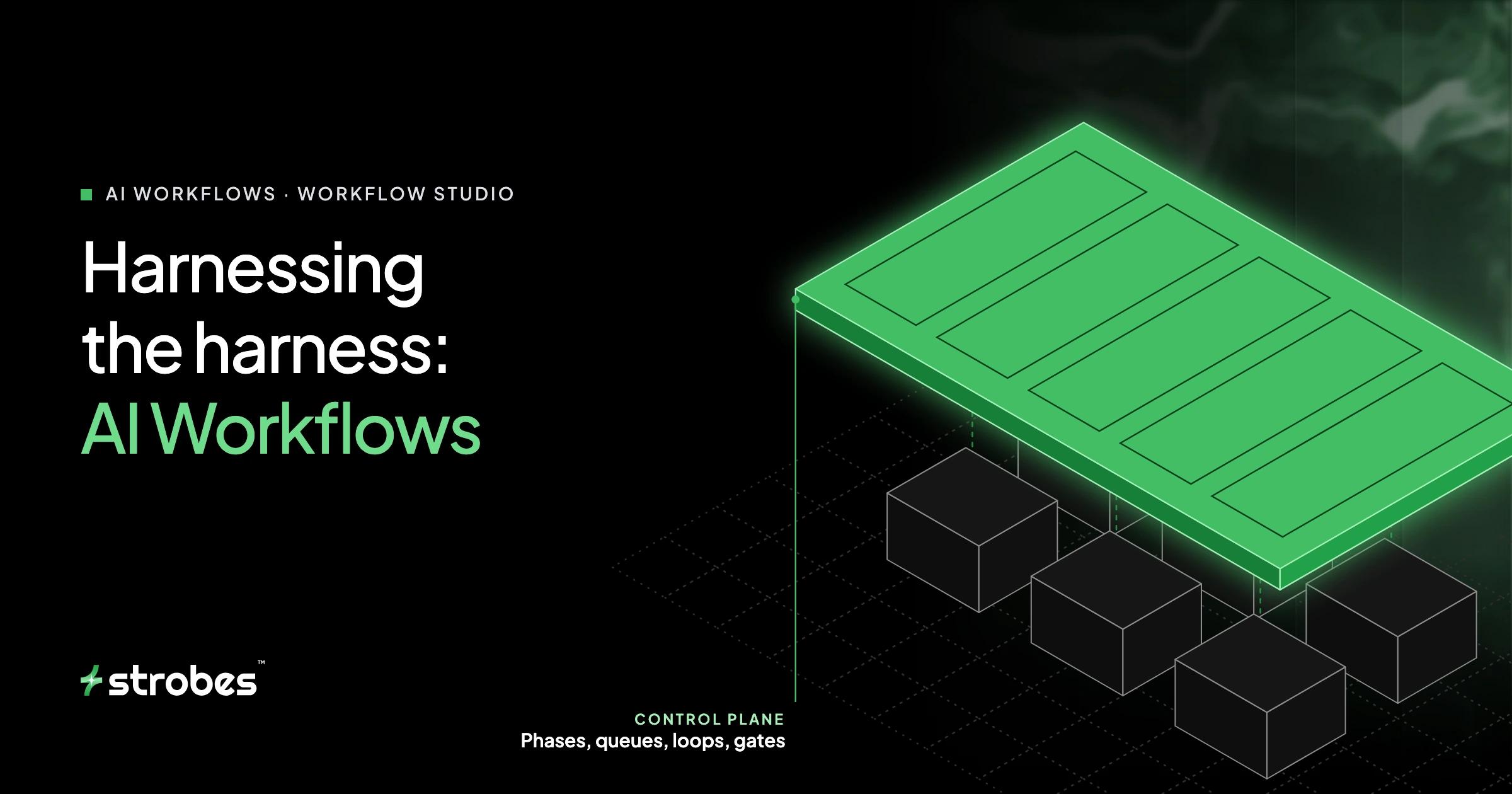
Harnessing the Harness: Introducing AI Workflows
TL;DR
An agent harness turns a model into a capable tester: tools, an execution environment, a shared workspace, scope controls, validation. That's enough for a bounded task like "test this endpoint for IDOR." It isn't enough for a real engagement, which runs for hours, touches thousands of objects and chains findings across disciplines. Single-agent loops fail there in predictable, structural ways: the context window becomes the only ledger, the agent decides for itself when it's done, and nothing guarantees coverage. AI Workflows fix this by splitting control flow from execution. A deterministic engine owns phases, work queues, loops, gates and exit conditions. Specialist agents own the judgment inside each unit of work. This post walks through why that split matters, how each mechanism works, and what it looks like on web, API, internal network, Active Directory, cloud and code-to-exploit engagements. It also introduces Workflow Studio, where you describe an engagement in plain English and an AI designer builds the workflow for you to review.
In this post
- Why do single-agent loops break on real engagements?
- What does it mean to "harness the harness"?
- How do phases keep agents focused?
- How do tables turn coverage into something you can check?
- When should a loop stop?
- Why run some steps without AI at all?
- What does this look like on a web app and API pentest?
- What does it look like on an internal network and Active Directory?
- How does it handle cloud and code-to-exploit work?
- What is Workflow Studio?
- Which design patterns work best?
- FAQ
Why do single-agent loops break on real engagements?
Give a strong agent a narrow task and it does well. Ask it to confirm a SQL injection in one parameter, or check whether a service account is kerberoastable, and the loop of reason, call a tool, read the output, reason again works. The task fits in its head.
Now give it an internal network pentest of a /16 with an Active Directory forest behind it. That job involves thousands of hosts, tens of thousands of services, a few hundred meaningful attack surfaces, credentials that turn up halfway through and change what's reachable, and a report at the end that has to account for all of it. Run that as one long agent loop and you hit the same failure modes every time. None of them are about the model being "not smart enough." They're about structure.
1. The context window is the only ledger. In a single loop, what the agent knows about the engagement is whatever is still in its context. Long runs need compaction or summarisation, and summaries are lossy. The detail that gets dropped is exactly the bookkeeping that matters: which of the 340 services were already tested, which credential pairs were already sprayed, which endpoints returned a 403 that deserved a second look.
2. Planner and executor are the same process. The agent writing the plan is also the agent deep in the weeds of an SMB relay attempt. Twenty tool calls into a promising lead, the original plan is three compactions back. The run drifts toward whatever was most recently interesting.
3. The stopping condition is self-assessed. The only thing deciding "the engagement is done" is the agent's own sense that it has done enough. Three good findings on the login flow feel like success. There's no outside check that says 40 endpoints were never touched.
4. Coverage has no oracle. Even if the agent wants to be thorough, there's no structured object that says "here is everything that must be tested, and here is the state of each item." Without one, coverage can only be estimated from a transcript after the fact.
5. Everything is serial and everything costs tokens. One loop means one thing at a time. And the agent spends model reasoning on purely mechanical work, like parsing port-scan output, that should cost nothing and produce identical results every run.
6. Runs aren't reproducible. Two runs against the same target cover different ground in a different order. You can't diff this month's internal test against last month's, and you can't tell whether a fixed finding is gone or just wasn't looked at this time.
7. There's nowhere to put your methodology. Your team knows that ADCS gets audited for ESC1 through ESC11, that password sprays must respect the lockout threshold, and that a credential reuse hit on a Domain Admin is its own critical finding. A system prompt can carry some of that. It can't make the agent follow it in order, every time, across a twelve-hour run.
Human red teams solved this decades ago. A lead doesn't tell a new tester "go hack the client." They hand over a plan with phases, a target list to work through, rules of engagement, and check-ins at the dangerous boundaries. The tester's skill goes into the attacks. The plan makes sure the skill is applied everywhere it should be.
What does it mean to "harness the harness"?
The harness made agents capable. Harnessing the harness means putting that capability under explicit control flow.
In practice that's a clean split between two layers:
| Layer | Owned by | Decides |
|---|---|---|
| Control plane | The workflow engine (deterministic) | Which phase is active, which work items exist, which are pending, how many run in parallel, when a loop exits, when a human must approve, what happens on failure. |
| Execution plane | Specialist agents (reasoning) | How to test this service, which payload to try next, whether this response proves the hypothesis, whether a lead is worth chasing, how to write up the evidence. |

The rule we design by is simple: every decision that doesn't need judgment comes out of the model. Iteration, bookkeeping, ordering, concurrency and termination are solved problems. A deterministic engine does them perfectly and for free. Model reasoning is spent only where it adds value: inside each unit of offensive work.
An AI Workflow is how you express the control plane. It's built from a small set of primitives:
| Primitive | What it is |
|---|---|
| Phase | An ordered stage of the engagement. Its tasks run in parallel by default, or sequentially when they depend on each other. |
| Task | One unit of work, of three kinds: an agent working from a written brief, a deterministic command, or a native Strobes scan (CSPM, SAST, SCA, secrets). |
| Table | A typed, structured record in the shared workspace (hosts, services, test cases, credentials, leads) that agents write and read. |
| Loop | Repeats a phase per pending table row, or until a plain-English condition is met, with concurrency and iteration caps. |
| Gate | When the next phase may start: all tasks complete, any task completes, or a human clicks Advance. |
| Failure policy | What a task failure means: continue, halt the phase, or abort the workflow. |
| Launch inputs | Placeholders like {{target}} filled in when the workflow starts, so one workflow serves every engagement. |
The next few sections show how each of these closes one of the failure modes above.
How do phases keep agents focused?
A phase boundary is a context boundary.
Each task in a workflow starts as a fresh agent run with a bounded brief: the objective, what to cover, where to write results and what "done" looks like. It doesn't inherit a 200-turn transcript from recon. It inherits structured state: the tables and files earlier phases produced.
That has three effects:
- Drift has nowhere to go. A task can chase a lead as far as its brief allows, but it can't silently rewrite the engagement plan. The next phase still starts, with its own brief.
- Compaction stops being dangerous. The engagement's memory lives in tables and files, not in any one agent's context. If a single run summarises aggressively, the ledger is untouched.
- Each brief gets the right specialist. A phase about Kerberos goes to the Active Directory specialist with AD tools and AD methodology loaded. A phase about GraphQL goes to the API specialist. You aren't asking one generalist context to hold every discipline at once.
Briefs are deliberately written as instructions to an expert, not scripts. "Audit the domain's certificate services for ESC1 through ESC11, record each vulnerable template with the enrolment rights that make it exploitable, and prove at least one path end to end" tells the agent what to achieve and what evidence counts. It doesn't dictate which tool to type. The agent keeps its judgment; the workflow keeps its intent.
How do tables turn coverage into something you can check?
This is the most important mechanism in the system, and it's simple.
A table is a work queue with a schema. One phase discovers things and writes one row per item with status: pending. A later phase declares a per-row loop over that table. The engine reads the pending rows, hands them to agent tasks (with your chosen concurrency), and each agent marks its rows completed, or skipped with a reason, when it's done. The loop doesn't exit until no pending rows remain.

# Simplified for illustration
tables:
  - name: services
    columns:
      host:          { type: string }
      port:          { type: integer }
      service_class: { type: string }    # smb, ldap, kerberos, rdp, web, ...
      status:        { type: enum, values: [pending, completed, skipped] }

phases:
  - name: Service assessment
    loop:
      mode: per_row
      table_name: services
      group_by: service_class   # keep one class of service in one run
      concurrency: 4
      max_iterations: 40
      exit_when: all_rows_complete
    tasks:
      - title: Assess {service_class} on {host}:{port}
        kind: agent
        instructions: >
          Fingerprint the service and version, test for known CVEs,
          misconfigurations and default or weak credentials, and prove
          anything you report. Record new credentials in the creds table.
          Mark the row completed, or skipped with a reason.
What this buys you:
- Coverage becomes a query, not a feeling. At any point during the run you can open the table and see exactly which services are done, which were skipped and why, and which are still waiting. The termination condition is a fact about the table, not an agent's self-assessment.
- Parallelism is free. The engine fans out across rows up to the concurrency you set. A /16 doesn't have to be worked through one host at a time.
- State locality with
group_by. Grouping rows by a column keeps related work in the same agent run. Group web test cases by OWASP WSTG category and one run handles all the authorization tests, reusing its authenticated sessions and its understanding of the role model instead of rebuilding them per row. Group network services by class and one run handles every SMB service with SMB context loaded. - Fairness. Groups are dispatched round-robin, so one huge category doesn't starve the small ones.
- Bounded cost. Concurrency, rows per task and maximum iterations are hard caps. A loop can't run away with your budget.
- Deduplication at the source. Give the table a dedup key (for web work, a normalised
METHOD /path/{id}) and the same endpoint discovered by the crawler, the JS bundle analysis and the API spec becomes one row, not three parallel tests of the same thing.
The pattern generalises to every "do X for every Y" in offensive work: every subnet block, every service, every endpoint, every test case, every repository, every cloud account, every candidate credential.
When should a loop stop?
Different offensive problems have different termination semantics, and the workflow lets you say which one you mean.
all_rows_complete. The queue is known and finite. Every service gets assessed; every designed test case gets executed. Stop when nothing is pending.no_new_rows. The frontier grows as you work. Lateral movement is the classic case: each compromised host can reveal new hosts, sessions and credentials, which add rows to the table. Keep going until an iteration produces nothing new, then stop.- Natural-language exit. Some conditions don't reduce to a table. "Continue until Domain Admin is achieved or every harvested credential has been tried against every reachable host" is a sentence, not a column. An evaluator reads the current state after each iteration and decides continue or stop, still under a hard iteration cap.
- Manual. A human decides.
Matching the exit condition to the problem is what lets an unattended workflow go deep on an open-ended attack chain without either quitting early or looping forever.
Why run some steps without AI at all?
Because a port scan doesn't need an opinion.
A workflow task can be a deterministic command whose output is parsed straight into a table, or a native Strobes scan: CSPM against an AWS, Azure or GCP account, or SAST, SCA and secret scanning across repositories. These tasks:
- cost no AI credits,
- produce the same output for the same input, so runs are comparable over time,
- run at tool speed, not at reasoning speed,
- feed structured rows to the agents that come next.
The pattern that keeps showing up in good workflows is deterministic discovery, agentic depth. Let tools enumerate. Let agents interpret, chain and prove. In a cloud review, the CSPM scan produces hundreds of raw check results in minutes; the cloud specialist's job is to work out which ones are real, which combine into an attack path, and which matter. Asking an agent to do the enumeration itself would be slower, more expensive and less consistent, and it would leave less budget for the part that actually needs a security expert.
What does this look like on a web app and API pentest?
The built-in web application workflow follows the OWASP Web Security Testing Guide, and its most important design choice is separating test design from test execution.
Phase 0: Scope, authentication and business understanding. The agent confirms scope, establishes authenticated sessions for each role (including SSO and MFA flows, with a live browser handoff when a human has to complete a step), and works out what the application is actually for.
Phases 1–2: Information gathering and endpoint discovery, in parallel. A browser-driven deep crawl, an automated crawler and JavaScript bundle analysis run as parallel tasks. Endpoints found only in bundles are re-verified against the live app before they're trusted.
Phase 3: Attack-surface analysis and business-flow modelling. Endpoints are categorised, and the agent reconstructs business flows (checkout, invite a user, change an email address) and writes down the trust assumptions each flow makes. "The order total is computed server-side." "Only an org admin can call this." These assumptions become test targets.
Phase 4: Test case design, fanned out by WSTG category. Separate design tasks run in parallel for configuration, identity, authentication, session management, authorization, input validation, client-side, cryptography, error handling, business logic and API testing. Each writes rows into a shared test_cases table. Every row is a hypothesis with an oracle: the endpoint, the vulnerability classes to test, the attack hypothesis specific to that endpoint, the probe evidence it's based on, and the expected indicator of vulnerability, meaning the response that would prove it.
Phase 5: De-duplication and coverage gap-fill. Before anything executes, a dedicated task collapses duplicate rows on the endpoint key and audits the table against the discovered surface, filling gaps. Coverage gets fixed before testing, not discovered missing in the report.
Phase 6: Execution loop. One per-row loop drains test_cases, grouped by WSTG category so each run holds the right session and context, until every row is completed or skipped.
Then: vulnerable component and CVE testing, finding validation, and reporting.
Why it matters: if one agent designs and executes in the same breath, it tests what it finds interesting and calls the rest done. Splitting the two means the test plan exists as data before any payload is sent, and every test case carries its own definition of success. A finding is filed only when the response matches the oracle and the evidence holds up, which is what keeps the false-positive rate down on broken access control and business-logic bugs, where "this looks weird" is easy and "this is exploitable" is the real work.
The API workflow follows the same shape against the OWASP API Security Top 10: discovery and documentation (including specs and GraphQL introspection), authentication and authorization (BOLA, BFLA, mass assignment), injection, business logic, rate limiting and resource consumption, data exposure, then validation and reporting.
What does it look like on an internal network and Active Directory?
Internal work is where open-ended agent loops struggle most and structure pays off most. The agents run through a connected shell or jump host inside your network, so they test exactly what an attacker on that segment would reach.
Internal network pentest
- Scope, shell verification and target seeding. Confirm the shell works and the targets are reachable, then split the scope into
scan_blocks, one row per subnet block, tagged by region or VLAN. - Host discovery and service scan. A per-row loop over
scan_blocks, grouped by segment, discovers live hosts and open ports and writes every service into aservicestable. - Attack-surface mapping and prioritisation. Rank the surface: domain controllers, management interfaces, legacy protocols, anything internet-adjacent.
- Service assessment. A per-row loop over
services, grouped by service class (SMB, LDAP, Kerberos, RDP, SSH, web, databases), so each run carries the right protocol context. - Active Directory audit, then CVE and threat-intel correlation against what was actually found running.
- Exploitation and credential harvesting, then lateral movement and privilege escalation, where new hosts and credentials feed back into the tables.
This is the natural spot for a manual gate: discovery and assessment run unattended, then the workflow pauses before active exploitation until someone on your team has reviewed the surface and clicked Advance.

Active Directory pentest
The AD workflow is a dependency chain of thirteen phases, and the order matters:
- Scope and asset creation
- Jump-host shell and domain controller reachability
- Domain recon
- User, group and tier-0 enumeration
- ACL and attack-path analysis (BloodHound-style graph collection)
- ADCS audit, ESC1 through ESC11
- Kerberos abuse: AS-REP roasting and Kerberoasting, plus a delegation audit (unconstrained, constrained, resource-based)
- Trust and cross-forest review
- Credential discovery in shares, Group Policy Preferences and object descriptions, then validation, a lockout-aware password spray, and credential reuse testing
- DC host hardening
- Finding validation
- Finding submission
- Reporting
Two details show why encoding methodology matters more than writing a clever prompt:
- Safety rules live in the brief, every run. The spray task reads the domain lockout policy first, stays under the threshold, treats tier-0 accounts with extra caution, and tries one credential per command rather than shell loops that mangle passwords containing metacharacters. A single long agent loop might remember all of that at hour six. A workflow phase starts with it in its brief.
- Chaining is explicit. Credentials validated in phase 9 are tested for reuse as local Administrator on the DC and a sample of domain-joined hosts, and a reuse hit is filed as its own critical finding, separate from the original exposure. That's the kind of senior-tester judgment that gets lost when nobody wrote it down.
AD is also where evidence matters most. A kerberoastable account is a finding. A cracked service-account hash that leads to DCSync is an attack path. Workflows end with a validation phase so the report says what was proven, not what might be possible.
How does it handle cloud and code-to-exploit work?
Cloud review (AWS, Azure, GCP). The first task is a native CSPM scan with no AI involved. The cloud specialist then triages the results: confirming real misconfigurations against live resources, discarding checks that don't apply, and composing individual issues into attack paths. An over-privileged role, plus a public compute instance that can assume it, plus a data store that role can read, is one path, not three medium findings. A reporting phase finishes the job.
Code-to-exploit, or "trace and prove." This is where a workflow crosses disciplines in a way a single agent rarely manages:
- Deterministic scans. SAST, SCA and secret scanning across the repositories. No tokens spent.
- Code review agents read the code for real data flows: routes, authorization checks, sinks. They write each candidate weakness to a
candidatestable along with the route that reaches it and why it looks exploitable. - Dynamic proof. A per-row loop hands each candidate to a web or API specialist, who tries to exploit it against the running application.
- Validation and reporting. Only candidates proven live become findings, each with both the source-level root cause and the runtime evidence.
The result is a finding developers can act on immediately (here's the line, here's the request that exploits it) and a sharp cut in the noise that static analysis alone produces.
Red team and assumed-breach. Rules of engagement and scope come first behind a manual gate, followed by OSINT and recon, initial-access planning, initial access, post-exploitation and lateral movement, privilege escalation and objective completion, then validation and debrief. Gates sit at the boundaries where a real red team would call the client.
Fast, Standard and Deep. The web, network and code review families come in three depths. Fast is a cheap single-pass triage. Standard is the balanced default. Deep is the exhaustive audit. The tiers change how much of the surface is covered and how widely the work fans out. They never change the reporting bar: every tier files only proven findings.
What is Workflow Studio?
Everything above can be written by hand as YAML. Most people shouldn't have to. Workflow Studio lets you describe an engagement in plain English and have an AI designer build it.

Internal network pentest of {{target}}: find hosts, test every service, attack Active Directory, pause for approval before exploitation, report.

The Workflow Designer is an agent with the full authoring catalogue in front of it: every specialist agent and what it's for, every deterministic command and the table it produces, every native scan, and every prebuilt table schema. It designs the workflow the way an experienced lead would:
- broad to deep: scope, recon, enumeration, testing, validation, reporting;
- the most specific specialist for each task;
- deterministic commands and scans for mechanical steps;
- discover-then-loop tables, with an enum
statuscolumn, for anything that fans out; - iteration caps on every loop;
- manual gates only where you asked for review;
- a reporting phase whenever the workflow produces findings.
The result appears on the right as a visual outline and as editable YAML. From there it's a conversation: "split API testing so each resource group gets its own run," "add a CSPM scan before the cloud specialist," "make the spray phase sequential after credential discovery." The designer changes only what you asked, and it keeps anything you edited by hand, including the name, the description and your rewritten task briefs.


Every proposal is validated against the same rules Save uses before you see it. That covers unknown agent or command IDs, a per-row loop that doesn't name its table, a placeholder that isn't declared as a launch input, and loop caps out of range. When validation fails, the designer fixes exactly those errors and re-proposes. Nothing reaches your library until you click Save, and everything can be exported as YAML to version, review and share.
There's a nice recursion here. The harness made capable agents possible. Workflows put a control plane around those agents. And Studio uses one of those agents to help you write the control plane. The harness helps you harness the harness.
Which design patterns work best?
These are the patterns we see in workflows that perform well, whether the designer writes them or you do.
| Pattern | Use it when | Why |
|---|---|---|
| Discover → queue → drain | Any "for every host / service / endpoint / repo" | Turns coverage into a table you can query and a termination condition the engine enforces. |
| Design / execute split | Web and API testing, or anything with a large test matrix | The test plan exists before testing starts, can be deduplicated and gap-filled, and isn't biased toward whatever looked interesting first. |
| Hypothesis + oracle rows | Access control, business logic, injection | Each row states what would prove the bug, so executors have a clear pass/fail and false positives drop. |
group_by for state locality |
Rows sharing auth state, protocol or category | One run reuses sessions and context across related rows instead of rebuilding them. |
no_new_rows for growing frontiers |
Lateral movement, recursive discovery | Keeps going while the attack graph expands; stops when it doesn't. |
| Deterministic first | Port scans, CSPM, SAST/SCA/secrets | Zero tokens, reproducible, and leaves budget for reasoning. |
| Brief, not script | Every agent task | State the objective, coverage, output location and definition of done. Let the specialist pick the technique. |
| Gate before blast radius | Exploitation of production, AD attacks, anything that could lock accounts | A human reviews state at exactly the boundary that warrants it, and nowhere else. |
| Validate, then report | Any workflow that produces findings | Findings are evidence-gated before filing, so the report is a list of proven issues. |
What stays the same
Workflows change the shape of the work, not the rules. Every agent inside a workflow runs under the same scope enforcement, technique approvals and finding validation as any other Strobes AI run. Nothing touches an unapproved asset, gated techniques still need approval, and a finding is filed only with evidence that it's real.
What this changes
For most offensive security teams, methodology lives in a wiki page, a checklist or a senior tester's head. It shapes how people work, but nothing enforces it and it doesn't scale beyond the people who know it.
AI Workflows make that methodology executable. Your playbook becomes a control plane: phases in the order you trust, work queues that guarantee coverage, loops that stop for the right reason, gates where you'd want a phone call, and specialist agents doing the offensive work inside each step. It runs the same way every time, so this month's test can be compared with last month's. It runs unattended, so it can run weekly instead of yearly, and against every new asset as it appears.
The harness gave you capable agents. Workflows let you point them at the whole engagement.
Try it: open AI → Workflows → Workflow Studio in Strobes, describe the engagement you want run, and review what the designer builds.
FAQ
How is a workflow different from a long system prompt with a methodology in it?
A prompt asks the agent to follow a plan. A workflow enforces it. Phase order, iteration over every work item, exit conditions, concurrency and approval gates are run by a deterministic engine, not left to the agent's memory over a multi-hour run.
Does structure make the agents less creative?
No. Agent tasks are briefs, not scripts. Inside a task the specialist picks its techniques, chases leads and chains findings. The workflow decides what gets covered and when; the agent decides how.
How does a workflow guarantee every host or endpoint is tested?
A discovery phase writes one row per item to a table with status: pending. A per-row loop drains that table, and it can't exit while pending rows remain. Every item ends up completed or skipped with a recorded reason, and you can check the table at any time during the run.
What about attack chains that grow as you go, like lateral movement?
Use a loop that exits on no_new_rows, or a plain-English exit condition evaluated after each iteration. Both run under a hard iteration cap.
Can workflows test internal networks and Active Directory?
Yes. Agents run through a connected shell or jump host inside your network. The built-in internal network and Active Directory workflows cover discovery, service assessment, ADCS, Kerberos and delegation abuse, trusts, lockout-aware credential testing, lateral movement, validation and reporting.
Do workflows spend AI credits on scanning?
Not when the step is mechanical. Deterministic commands and native Strobes scans (CSPM, SAST, SCA, secrets) cost no AI credits. Reasoning is used to interpret and exploit what they find.
Can a workflow pause for human approval?
Yes. A manual gate pauses the whole workflow at a phase boundary until someone clicks Advance. Workflows run unattended by default, so add gates only where you want a human decision.
Do I need to write YAML?
No. Describe the engagement in Workflow Studio and the Workflow Designer builds and validates it. The YAML is there for hand edits, version control and sharing.
Where do findings go?
Into Strobes, as they're validated, with evidence attached. The reporting phase summarises proven findings; it doesn't create new ones.